













whatsapp

Welcome to Online Dubai Visa Official Blog

Online Dubai Visa Blog Category

Dubai Visa – Apply Dubai Visa Online and Explore Dubai attractions
img

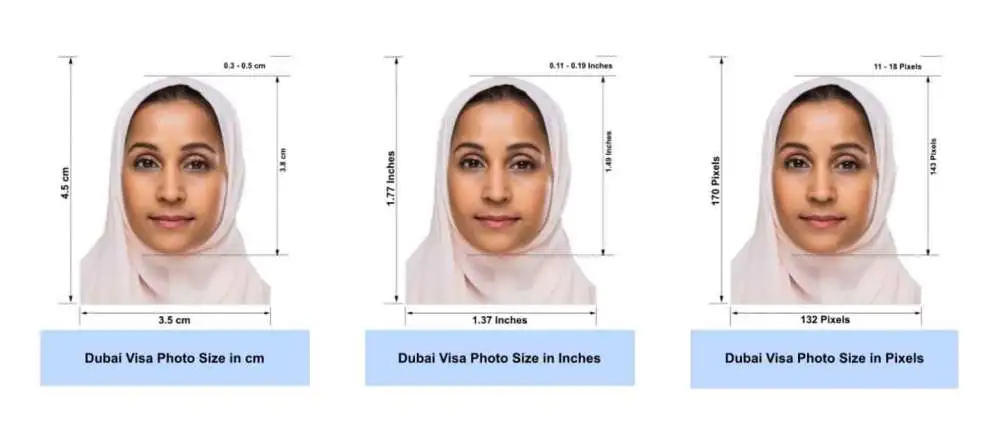
The UAE Visa number, also known as the Unique Visa Serial Number, is a numerical code that is assigned when a new visa is issued. It is a unique 7-9 digit code that is essential for several purposes, including verifying the validity of a visa or initiating the visa cancellation process. Your visa file number ensures that immigration authorities can accurately check, verify, and manage your visa record. In the guide below, you will get to know about the UAE visa number, UID Number, the codes of the visa file number, and how to check the UAE Visa number.  What is a UAE Visa Number and UID Number Looking for what is the visa number in the UAE? If yes, the UAE Visa Number is a 7-9 digit code, which is an identifier assigned to every visa holder at the time they get a new visa. This visa number is subject to identification and tracking of people in different administrative processes and legal transactions. On the other hand, the UID number, also known as the unified identification number, is a 9-to 15-digit number that is assigned to a person who visits the UAE as a tourist or resident. You can find the UID number on your residence visa document or entry permit.  Example and Format The UAE Visa Number format follows a proper and structured pattern that highlights relevant information. Here is an example and format of a visa file number: - Example: - 301/2025/1234567 Based on the above visa number, 301 is the code of Sharjah, 2025 is the issuing year of your visa, and 1234567 is the UAE visa number.  Where to Find the UAE Visa File Number The visa number in the UAE visa is located in your actual visa document. The number is positioned above the passport number and below the UID number on your visa.  Codes for UAE Visa File Numbers For the UAE Visa File Number, different codes are associated based on all countries. Here are some of the codes: - 101: Abu Dhabi  201: Dubai 301: Sharjah 401: Ajman 501: Umm AL Quwain 601: Ras AL Khaimah 701: Fujairah  How to Check your UAE Visa Number For the UAE visa number check, official portals are there through which you can check your visa number. The guide below mentions all the steps: - Step-by-Step Guide Through the GDRFA Platform  Visit the official GDRFA website.  Select the visa inquiry services and choose the unified number inquiry. In the inquiry form, you are required to mention certain details, like passport number, nationality, and date of birth.  At last, submit the form, and you will get to see the visa status immediately.  Step-by-Step Guide Through the ICA Smart Services Visit the ICA Smart Services portal.  Either enter your UID number or the visa number.  After entering the information, get instant results.  How to Apply for a UAE Visa Applying for a UAE visa is not at all complicated, as there is a very easy and short process to get your visa successfully. You must apply for the UAE visa through the secure and top travel and visa platform, which is the Online Dubai Visa, offering the UAE visa in the best way.  Visit the Online Dubai Visa website.  On the home page, mention the country you are a citizen of and the country you are travelling from to the UAE.  Select the visa type, service, and click on “Apply Now”.  Mention all the details in the visa application form and submit the documents, including a passport copy and your passport-sized photograph.  Finally, pay the visa fees.  Note: Once you make the payment successfully, you will get confirmation on your registered email ID.  Conclusion The UAE Visa File Number is an important reference code that every visa holder should understand. Right from the codes for the visa file number, locating the visa number, to checking the UAE visa number, this number on your visa ensures a smooth journey. Looking for the best ways to check your UAE visa number? You can check through the GDRFA portal and ICP Smart Services. With the convenience of the Online Dubai Visa platform, you can easily apply for the UAE visa. So, stay updated with the format and location of your UAE visa file number.  FAQs Q1. How can I find my visa number in the UAE? Ans. You can find your visa number in your UAE passport in the form of a visa sticker or a stamp. Q2. What's your UID number? Ans. The Unified Identification Number (UID) is a 9-15-digit code that is assigned to a person who holds a UAE visa. This number links you across immigration, residency, and other official services.  Q3. Can I check my UAE visa status without a file number? Ans. Yes, if you do not have a file number, you can still check your UAE visa status through your passport number.  Q4. How many digits are in the UAE visa number? Ans. In the UAE visa number, 7-9 digits are mentioned.  Q5. How can I download my UAE visa using the file number? Ans. You can download your UAE visa by using two platforms, which include the GDRFA platform and ICP Smart Services, by entering details, like passport number, file number, and nationality.  Q6. What is a request number in a UAE visa application?  Ans. The request number is a temporary tracking number given to you when you submit your UAE visa. It is significant for verifying the visa status and growth of your UAE visa application.

All Blog
Federal Authority
Dubai

Copyright © 2026 onlinedubaivisa.com is unit of Travejar Tourism LLC

top